

Volunteer Hours
As a volunteer run organization, it is hoped that families will support their child’s team by volunteering 20 hours of their time to support their player’s team. Volunteers can be parents, guardians, siblings, other family members, and friends.
There are a variety of recurring volunteer opportunities available throughout the year. An important volunteer opportunity this year will be to support our team on our home ice at our K2 Invitational Home Tournaments, K2 Invitational Home Jamborees, and as a repeat host of the 18U WAHA State Tournament! Each team will be responsible for ensuring they have representative volunteers at each tournament. There are also snack shop oppoutunities before and after home games.
how do i sign up for volunteer hours?
- You must be the registering parent to see this information
- Begin from www.kenoshakomets.com (not the app)
- Click on LOG IN (upper left corner) and log in using your email address and password
- Click on ACCOUNT (upper left corner)
- Click on VOLUNTEER (left column)
- The open VOLUNTEER opportunities will pop up on your screen.
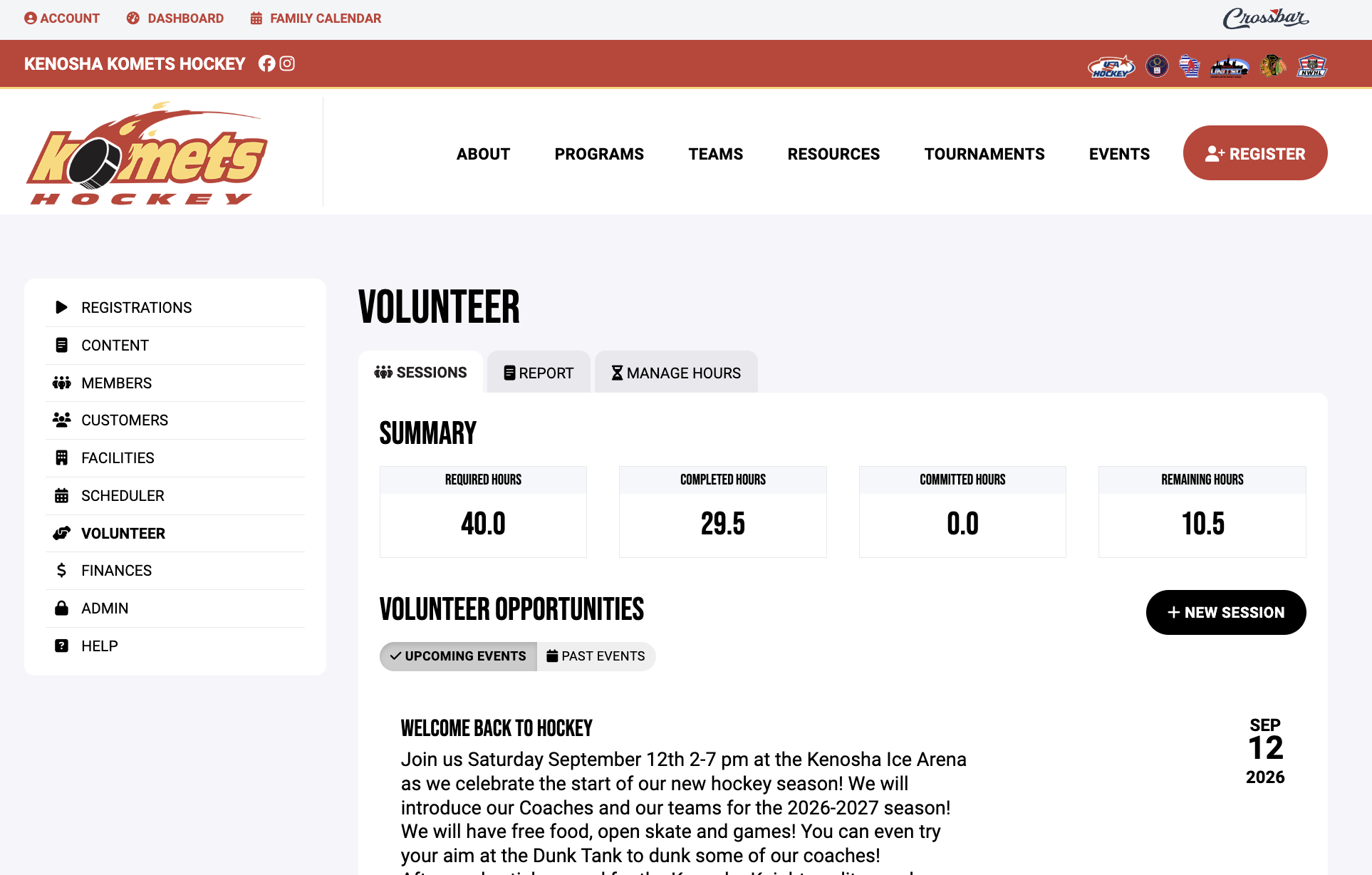
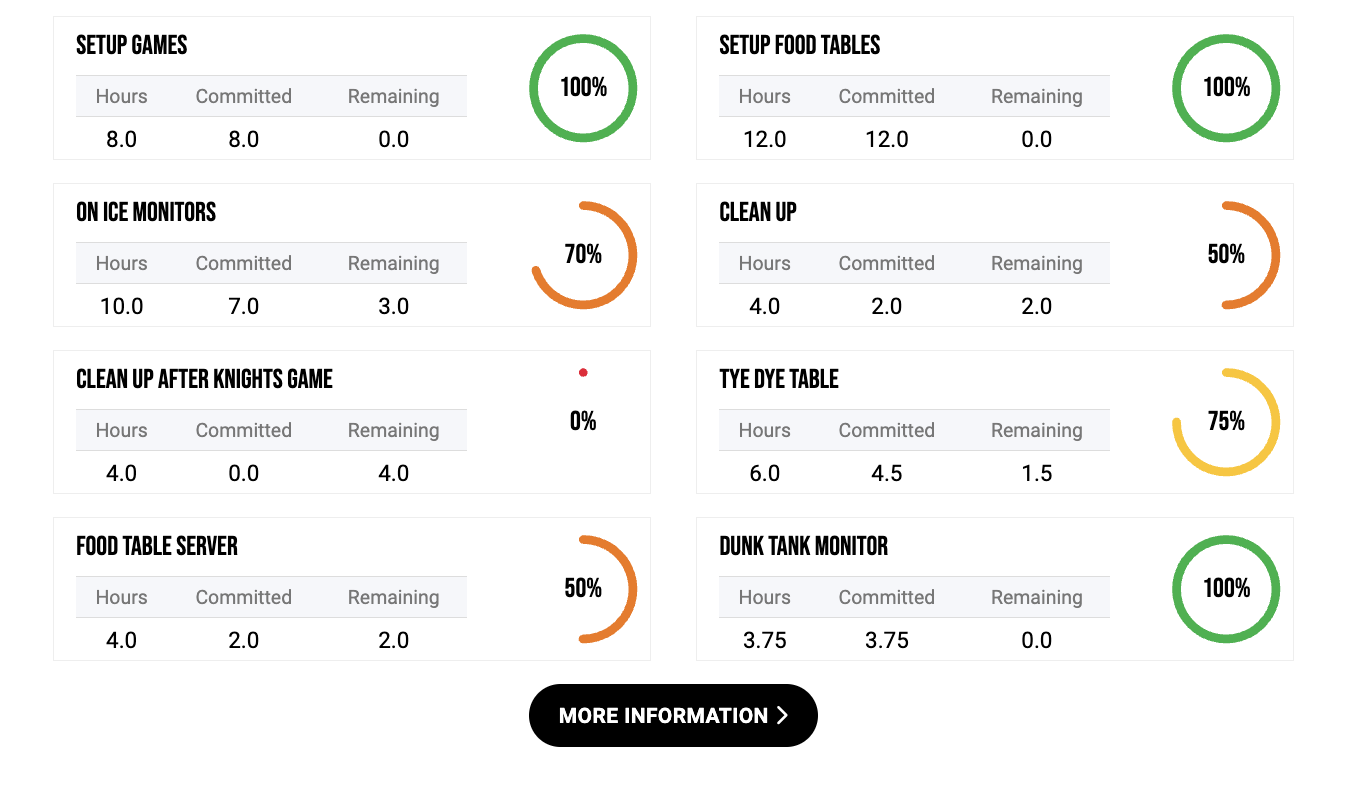
7.Scroll down to see the types of positions that are offered. For this example, setup games and food tables is filled already with volunteeers. On ice monitors are 70% filled, clen up if 50% filled, tye dye table is 75% filled, and clean up after the Knights game has no volunteers yet.
8.Click on MORE INFORMATION to sign up.
9.The next screen will show you a description of the event itself as well as the responsibilities for each volunteer role.
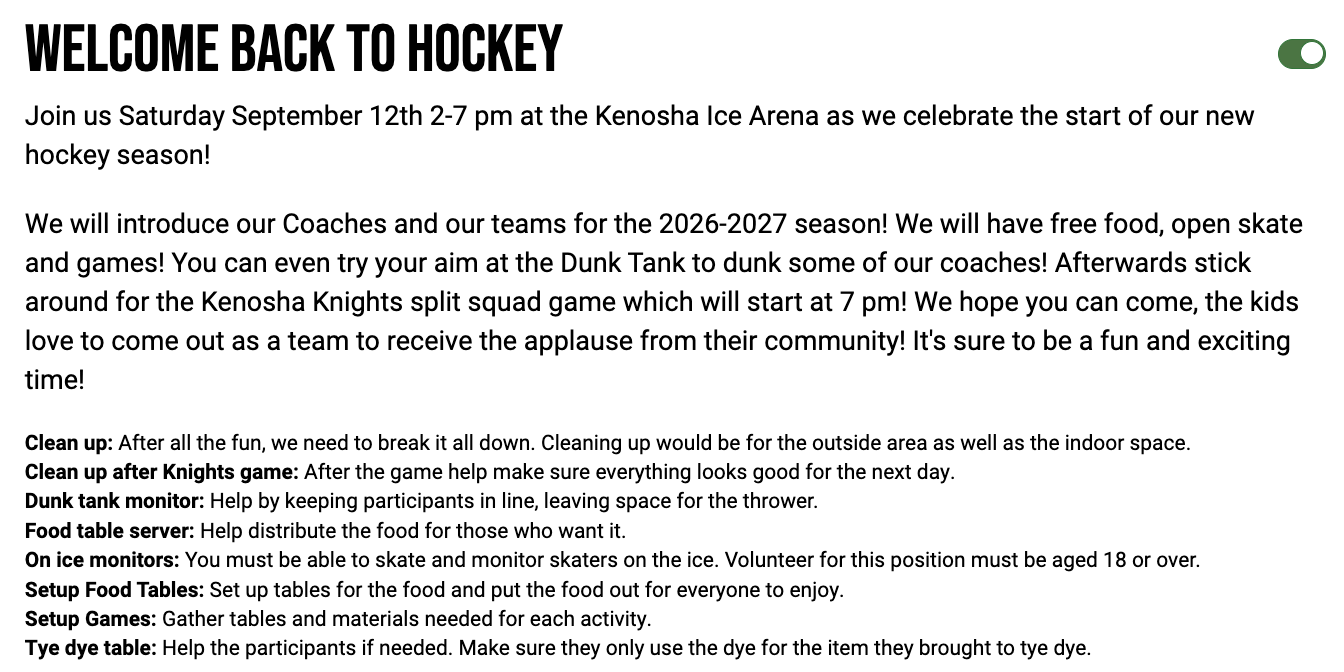
10.Scroll down to look at each slot. It will show the time, what the role is, and the open slots.
11.Click on the plus (+) sign to take a specific slot,
12.The name of your player (and any family members linked with their profile) will pop up and you can assign any to earn the volunteer credit for your player.
13.If you make a mistake and want to change names, or just delete your volunteering for the slot, click the minus (-) sign next to their name.

How can I see a summary of what I have volunteered for?
- You must be the registering parent to see this information
- Begin from www.kenoshakomets.com (not the app)
- Click on LOG IN (upper left corner) and log in using your email address and password
- Click on ACCOUNT (upper left corner)
- Click on the picture of your player.
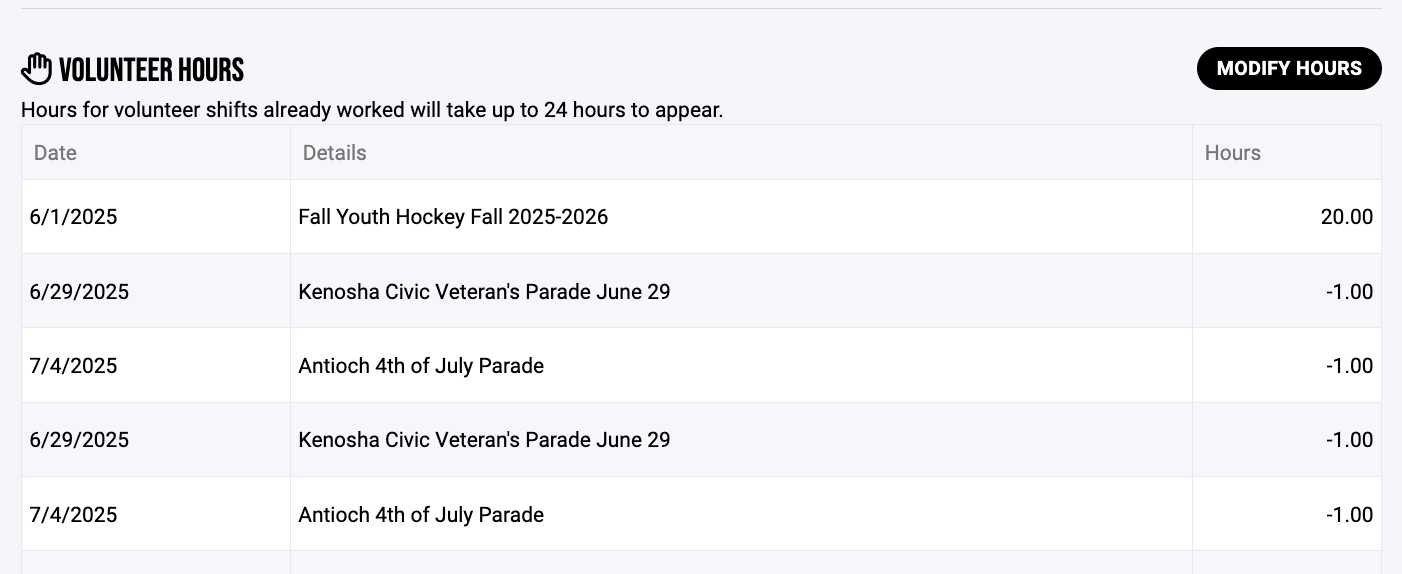
- Scroll down to the VOLUNTEER HOURS SUMMARY to see what you have worked.The negative numbers are what is deducted from your volunteer commitment.